How to Fix the WordPress Developer Bottleneck with Sanity & Next.js
If your marketing team needs a developer just to change one line of content, you're experiencing a WordPress developer bottleneck.
This is one of the biggest frustrations for modern marketing teams.
Imagine this scenario.
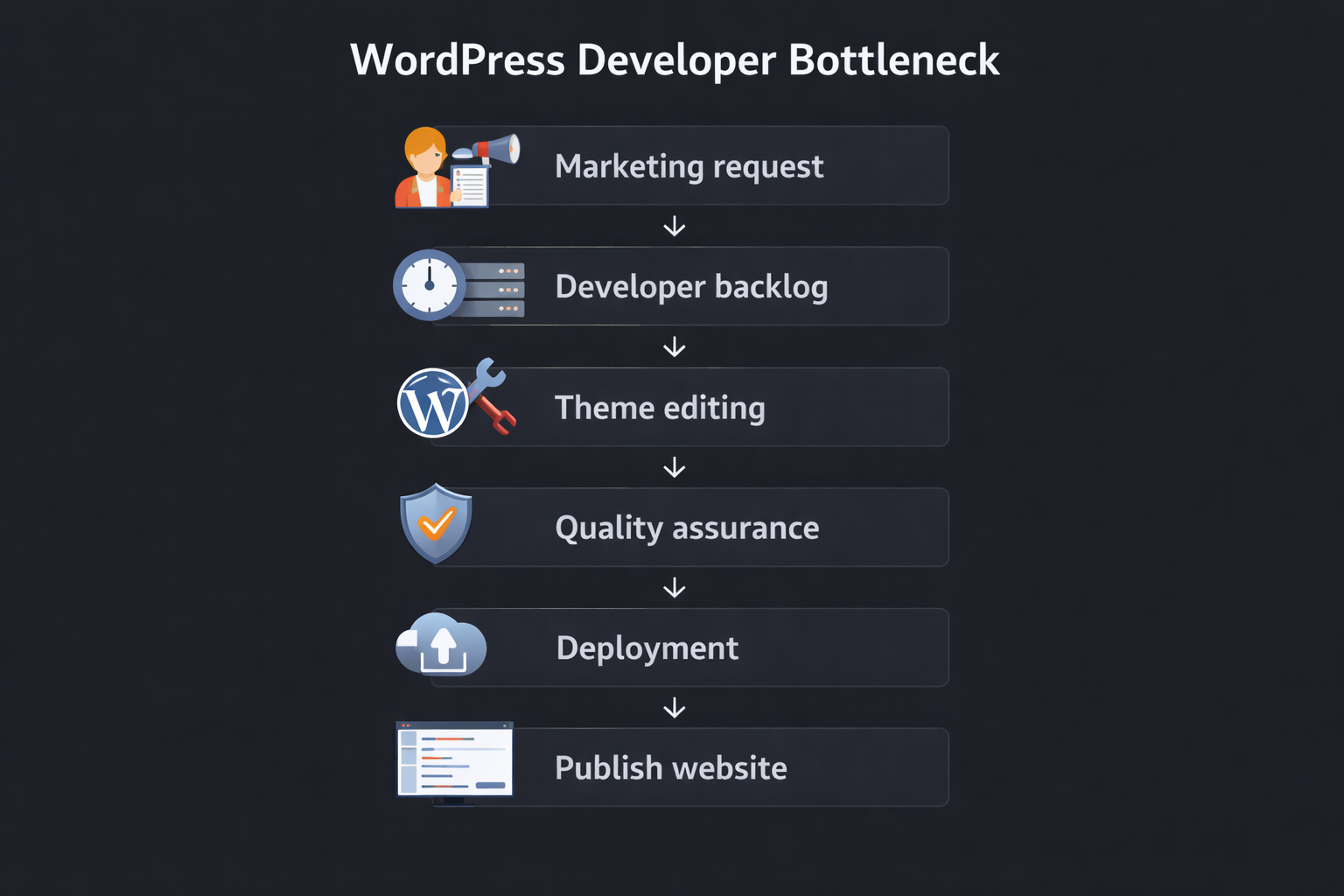
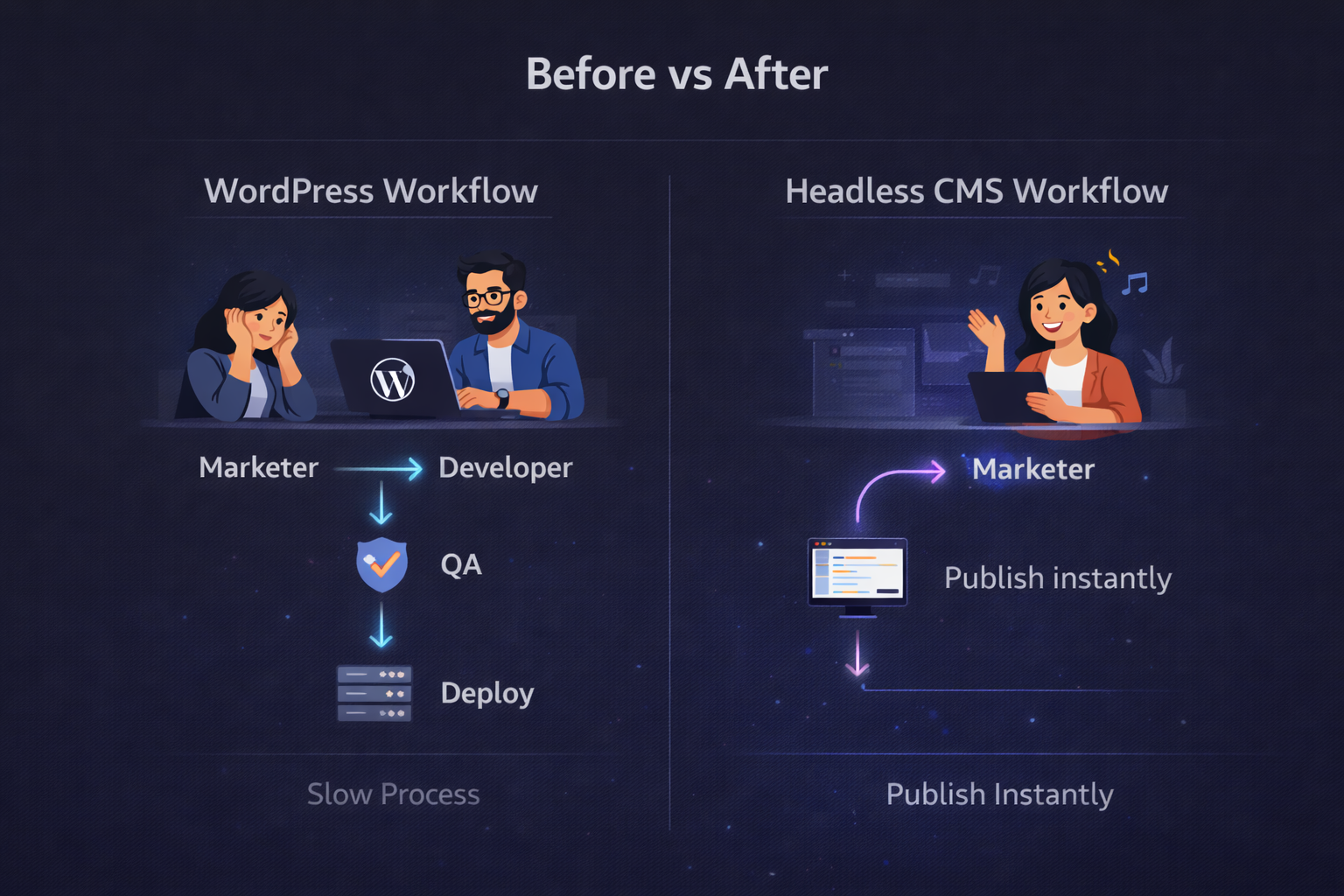
Marketing wants to update a simple call-to-action or headline on the homepage. Instead of editing the text directly, the request goes through several steps:
- Marketing submits a request
- The request enters the developer backlog
- Developers modify the theme or template
- QA testing is required
- The change is deployed
What should take 30 seconds ends up taking days. In a competitive market, this bottleneck isn't just a technical delay—it’s lost revenue and wasted ad spend.
In 2026, this workflow is inefficient for fast-moving marketing teams.
Modern companies are solving this issue by adopting headless CMS architecture.
One of the most popular stacks is:
Sanity Headless CMS + Next.js
This combination removes developer dependency and enables faster publishing.
In this article you'll learn:
- Why the WordPress developer bottleneck happens
- How Sanity vs WordPress performance compares
- Step-by-step headless WordPress migration 2026
- How Next.js Sanity integration enables instant updates
- Real results companies see after switching to headless CMS
The Real Problem Behind the WordPress Developer Bottleneck
Traditional WordPress setups were designed years ago when websites were simpler.
Today marketing teams need:
- rapid campaign updates
- landing page experiments
- quick SEO changes
- instant messaging updates
But WordPress architecture often slows these tasks down.
Theme-Coupled Content
In many WordPress websites, content is tightly linked to the theme structure.
Even small changes like:
- homepage sections
- landing page layouts
- hero text
may require editing theme files.
That forces developers into the workflow.
Plugin Dependency
WordPress websites depend heavily on plugins.
While plugins add features, they also create risks such as:
- performance slowdowns
- plugin conflicts
- broken layouts
- security vulnerabilities
This makes developers responsible for maintaining the system.
Slow Publishing Workflows
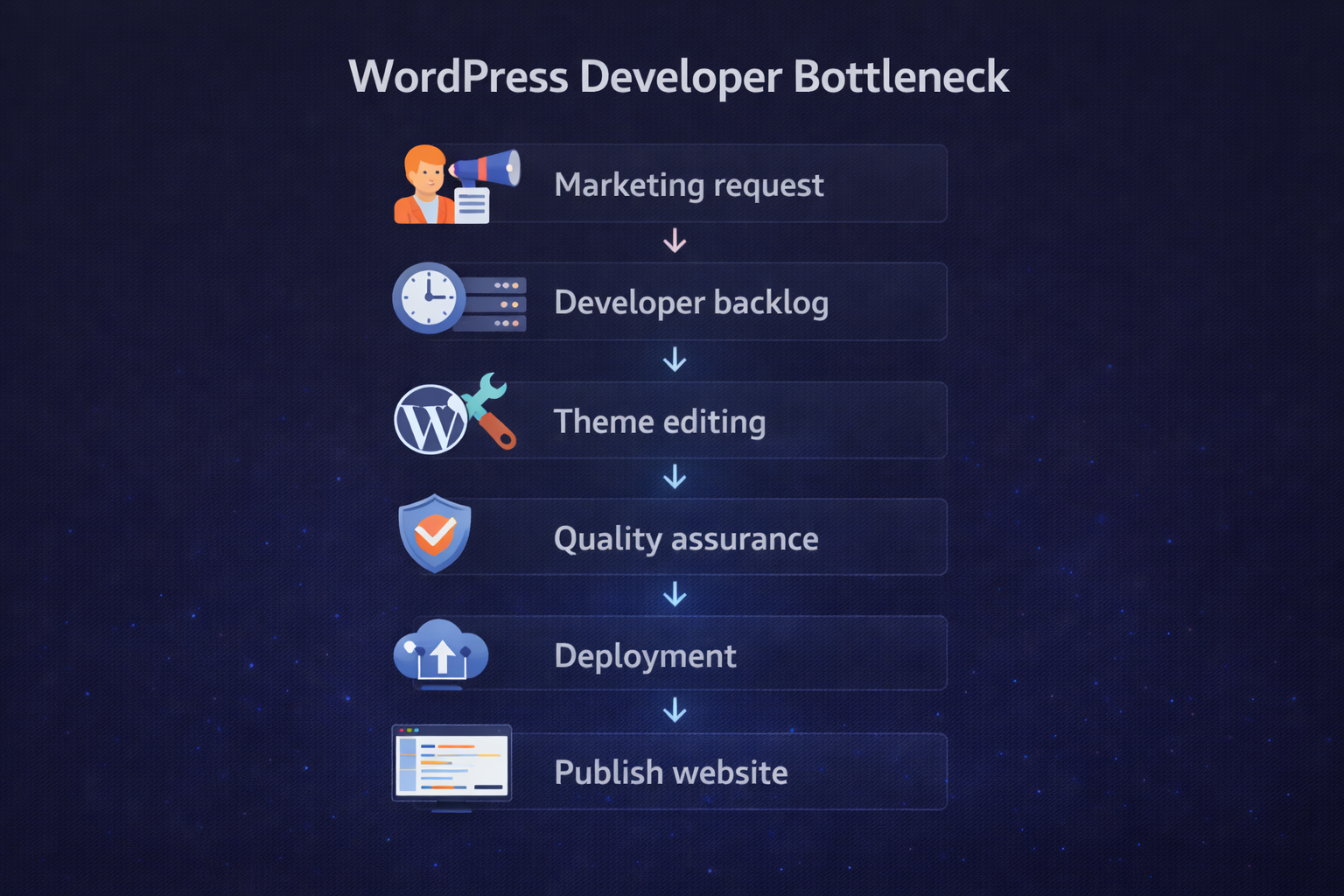
Typical publishing pipeline in WordPress looks like this: Content request → Developer change → Staging → QA → Deploy → Publish
Every step adds time.
The result is the WordPress developer bottleneck that slows marketing teams.
The Rise of Headless CMS in 2026
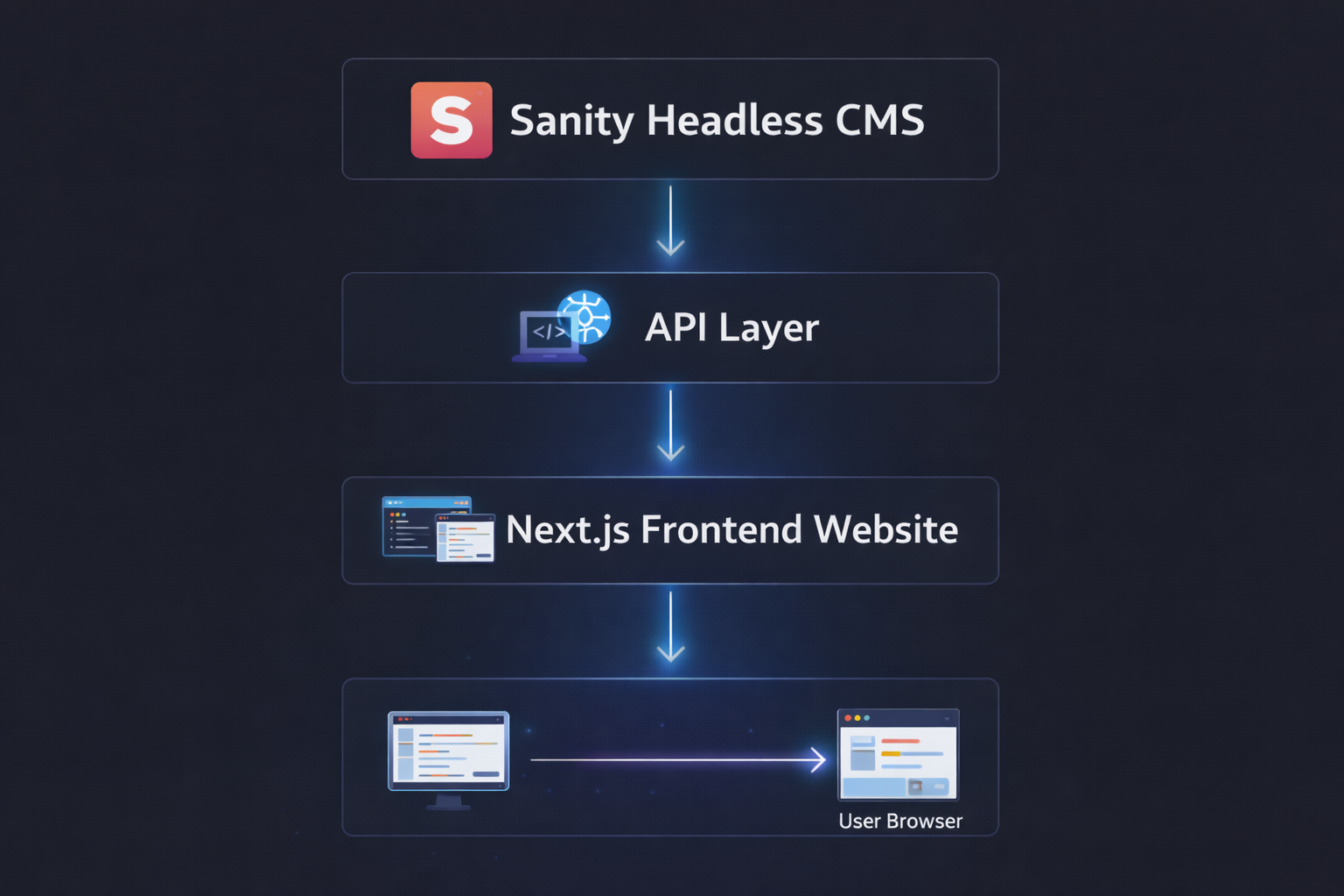
Headless CMS architecture separates content management from the frontend presentation layer.
Instead of a monolithic system, there are three independent layers.
| Layer | Responsibility |
|---|---|
| CMS | Store and manage content |
| API | Deliver content via queries |
| Frontend | Render UI using frameworks |
This allows developers to use modern frameworks like:
- Next.js
- React
- Vue
- Svelte
At the same time, marketing teams can manage content independently.
The result is faster websites and faster workflows.
Why Sanity CMS Works Well for Headless Architecture
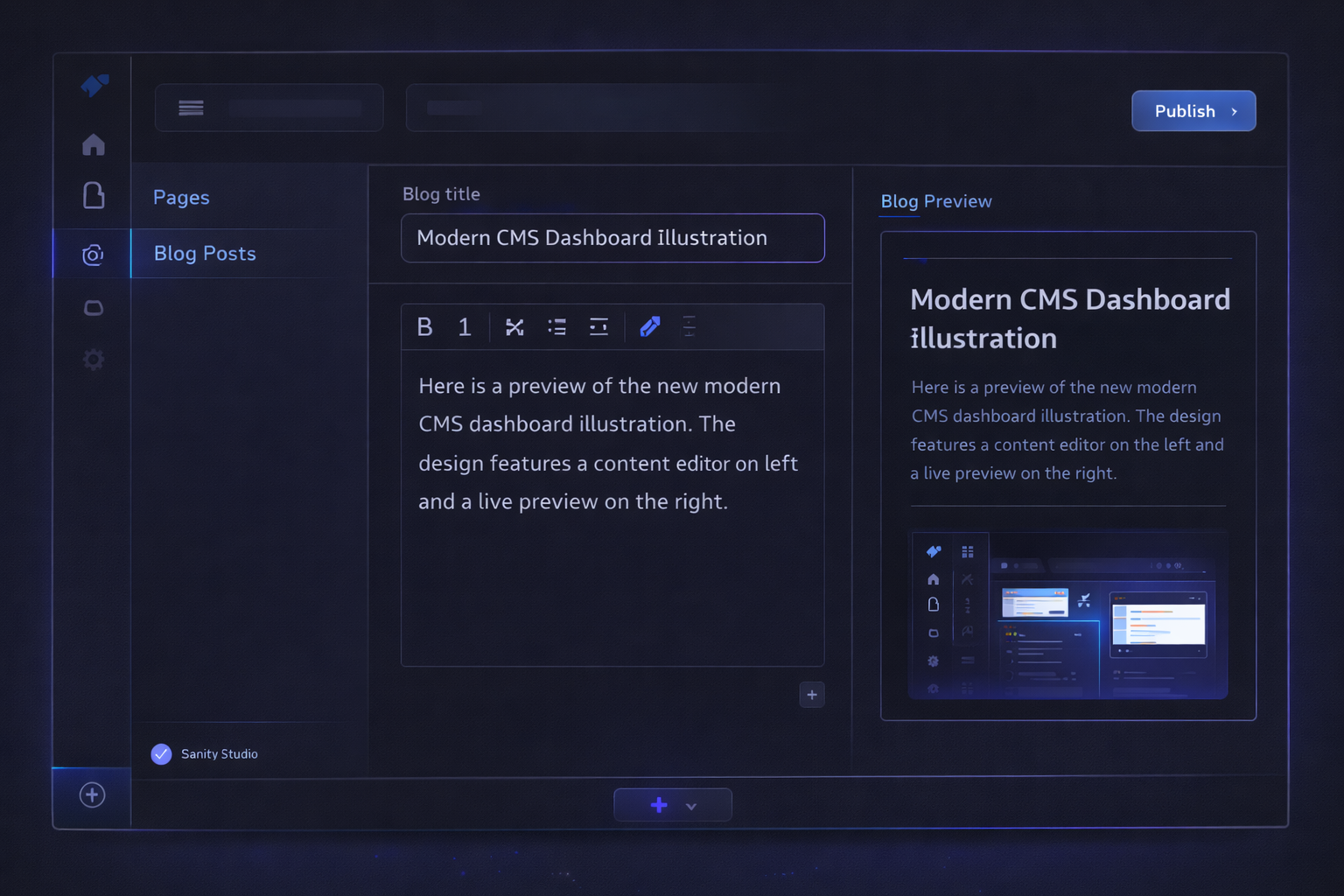
Sanity is a structured content platform built specifically for modern applications.
It provides a flexible content platform that works perfectly with frameworks like Next.js.
Real-Time Content Editing
Sanity Studio allows editors to update content instantly.
Changes appear immediately without requiring deployments.
Structured Content Models
Instead of messy page builders, Sanity uses schemas.
Schemas define structured content types like:
- blog posts
- landing pages
- authors
- products
This structured system keeps content organized and reusable.
API-First Architecture
Sanity delivers content via APIs.
This allows developers to fetch content using frontend frameworks.
It works well with:
- React applications
- Next.js websites
- mobile apps
- marketing sites
Sanity vs WordPress Performance
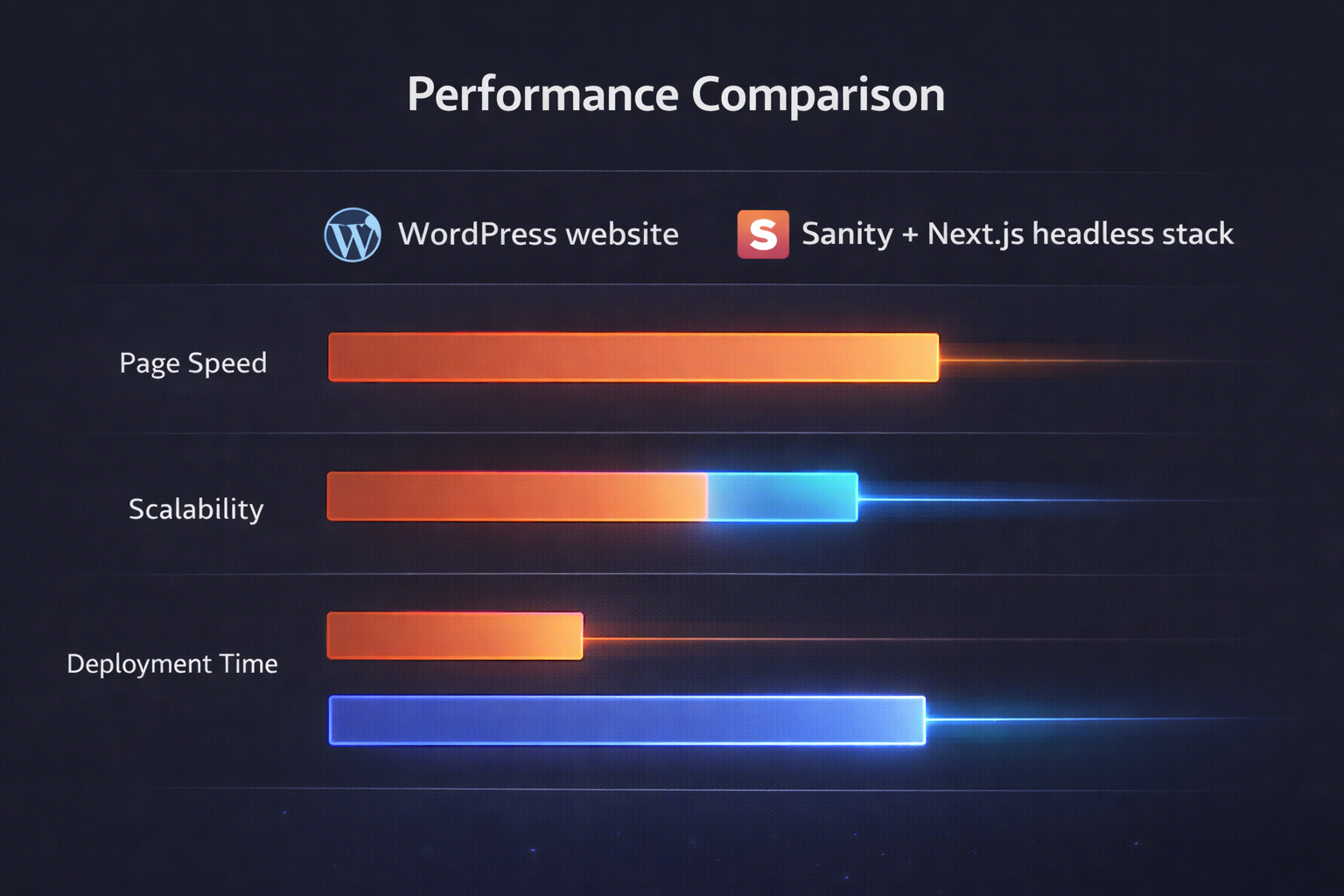
Performance is another reason companies migrate away from WordPress.
Here is a comparison of the two systems.
| Feature | Legacy WordPress | Sanity + Next.js (2026) |
|---|---|---|
| Content Editing | Developer dependent | Marketer friendly |
| Page Speed | 3s+ (Plugin heavy) | <1s (Static optimized) |
| Security | High Risk (Plugins/PHP) | Bank-grade (Decoupled) |
| Performance | Moderate | Extremely fast |
Next.js introduces Incremental Static Regeneration (ISR) which allows content updates without rebuilding the entire site.
This dramatically improves both performance and publishing speed.
Headless CMS Marketer Autonomy
One of the biggest advantages of a headless CMS is marketing independence.
With Sanity, marketers can edit:
- landing page text
- blog posts
- product descriptions
- SEO metadata
- campaign pages
without developer assistance.
This eliminates the WordPress developer bottleneck.
Marketing teams can publish content instantly without waiting for engineering support.
Next.js Sanity Integration
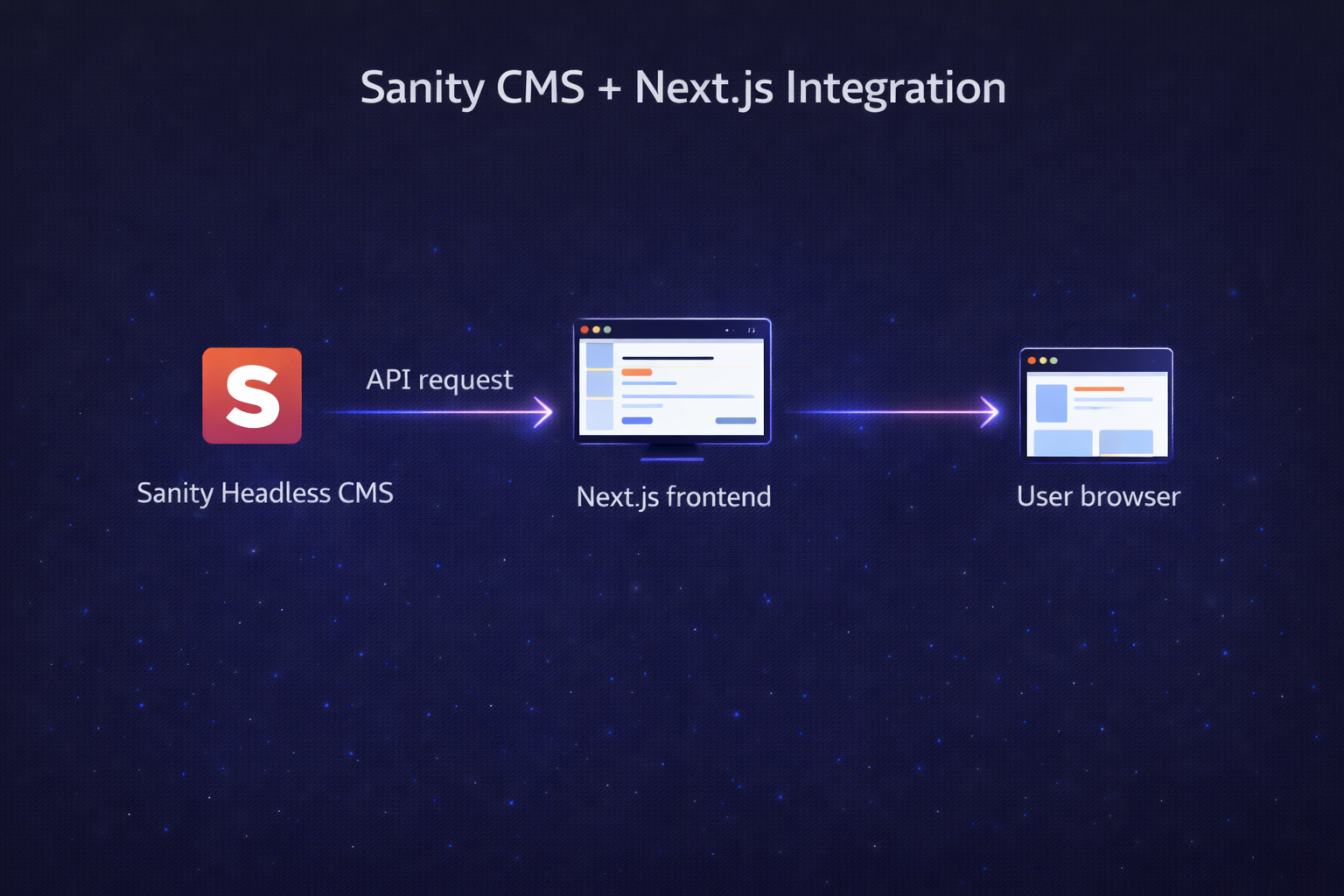
Next.js integrates naturally with Sanity because both are designed for modern web applications.
Next.js supports multiple rendering methods including:
- Static Site Generation (SSG)
- Server-Side Rendering (SSR)
- Incremental Static Regeneration (ISR)
A basic integration example looks like this:
import { createClient } from "next-sanity";

const client = createClient({
  projectId: "yourProjectId",
  dataset: "production",
  apiVersion: "2026-01-01",
  useCdn: true
});

export async function getPosts() {
  const posts = await client.fetch(`*[_type == "post"]{
    title,
    slug
  }`);
  return posts;
}
Next.js fetches structured content directly from Sanity's API.
Pages are generated instantly and cached globally.
Headless WordPress Migration 2026 (Step-by-Step)
Migrating from WordPress to Sanity usually follows a structured process.
Step 1: Export WordPress Content
Inside WordPress: Tools → Export → All Content
This generates an XML file containing all posts, pages, and metadata.
Step 2: Define Sanity Schemas
Schemas describe the structure of your content.
Example schema:
export default {
  name: "post",
  type: "document",
  fields: [
    { name: "title", type: "string" },
    { name: "slug", type: "slug" },
    { name: "content", type: "text" }
  ]
}
Schemas ensure consistent content formatting.
Step 3: Convert WordPress Data
The WordPress XML export must be converted into JSON format.
Then imported into Sanity using the CLI.
sanity dataset import data.json production
Step 4: Build Next.js Frontend
Create pages in Next.js that fetch content from Sanity.
Example fetch query:
const posts = await client.fetch(`*[_type=="post"]`);Next.js generates static pages automatically.
Step 5: Enable Instant Updates
With Incremental Static Regeneration (ISR), pages automatically refresh when content changes.
No developer deployment is required.
Case Study: Fixing a Developer Content Bottleneck
A SaaS marketing team recently migrated from WordPress to Sanity.
The results were dramatic.
| Metric | Before | After |
|---|---|---|
| Content publish time | 2 days | 5 minutes |
| Page speed | 3.2 seconds | 1.1 seconds |
| Developer involvement | High | Minimal |
| SEO growth | Moderate | Improved |
Marketing teams gained the ability to publish content instantly.
Developers could focus on product development instead of content updates.
SEO Advantages of Headless CMS
Headless architecture also provides major SEO benefits.
Faster Page Speed
Next.js generates optimized static pages which load significantly faster.
Google favors fast websites in search rankings.
Better Core Web Vitals
Headless sites reduce issues like:
- layout shifts
- render blocking scripts
- server delays
This improves overall page experience.
Flexible SEO Control
Sanity schemas allow marketers to manage SEO data directly.
Editors can update:
- meta titles
- meta descriptions
- open graph tags
- structured data
without developer involvement.
Challenges During Migration
Every migration has challenges.
Common issues include:
Schema Planning
Content structures must be designed carefully before migration.
Data Cleanup
WordPress content sometimes contains formatting issues that need cleanup.
Initial Developer Setup
The first implementation requires developer effort.
However, once completed, the system becomes much faster and easier to manage.
The Future of Headless CMS
The headless CMS market is growing rapidly.
Modern companies are adopting headless stacks for:
- omnichannel content delivery
- faster frontend frameworks
- AI-powered content systems
Platforms like Sanity with Next.js are becoming the modern standard for scalable websites.
The WordPress developer bottleneck will slowly disappear as more companies adopt headless architecture.
Conclusion
If your marketing team constantly waits for developers to update content, you are experiencing a WordPress developer bottleneck.
Migrating to Sanity Headless CMS with Next.js provides a powerful solution.
This architecture offers:
- faster website performance
- scalable frontend development
- instant content updates
- marketing team autonomy
In 2026, this stack represents the future of modern web development.